
Buying guide · Brother SE700
Embroidery Machine for Beginners: 4x4 or 5x7 Hoop?
Choosing an embroidery machine for beginners? Learn if 4x4 is enough, whether you need software and what first-time owners say before you buy.
Disclosure: we may earn a commission if you buy through links on this page, at no extra cost to you. As an Amazon Associate we earn from qualifying purchases. It never changes what we recommend.
This article contains affiliate links. If you buy through them, we may earn a commission at no extra cost to you. It does not change what we recommend, including when the answer is “wait” or “buy something else.”
What is the best embroidery machine for beginners? The one whose hoop fits your first five projects, and that you feel ready to learn. For small projects like monograms, patches and baby clothes, a 4x4 machine such as the Brother SE700 is a friendly start. For towels, jacket backs or selling, plan on a 5x7 hoop.
First-time buyers usually carry two worries: “Will I be able to learn this?” and “Will I outgrow it?” A post titled “Scared to start” in r/MachineEmbroidery drew 314 upvotes. It opens with: “I’m so intimidated I don’t know how to start diving into this.” Another asks whether the software “costs more than the machine… so it’s kinda catch 22 for me.”
Those are the right worries, and they have real answers. This guide uses owner reviews, community threads and Brother’s product pages, because Brother’s machines dominate what first-timers ask about. We have not bench-tested any machine, and we say where our evidence is thin. Want a specific pick now? See our Brother SE700 page.
Key takeaways
- Beginners do learn embroidery. Expect some trouble with thread in the first projects.
- Write down your first five projects. If they all fit in 4 x 4 inches, a 4x4 machine is a reasonable start.
- A combo machine sews and embroiders. An embroidery-only machine does not sew.
- You can start with built-in designs. Photo-to-stitch conversion on a Brother is a paid plan.
- Buy from a seller with an easy return window and test the machine soon after it arrives.
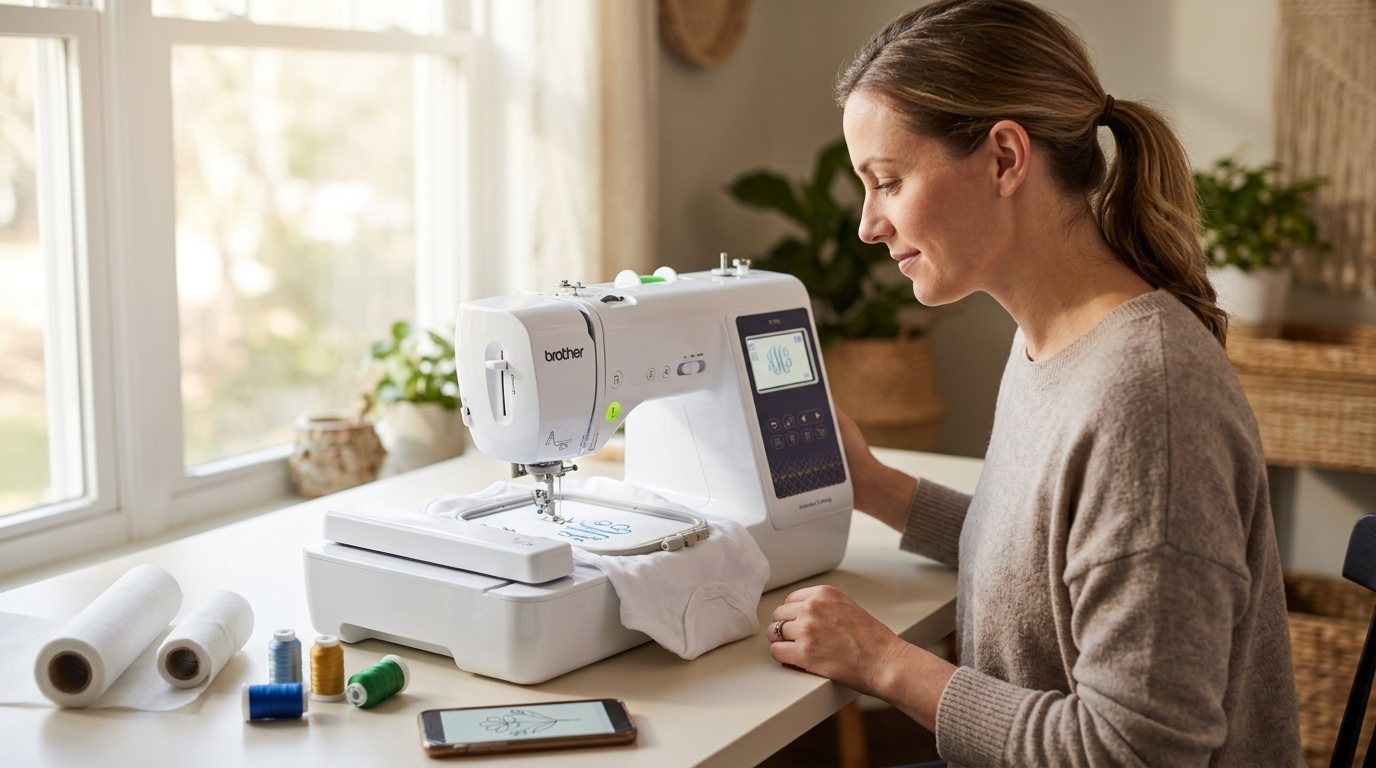
Can a beginner learn to use an embroidery machine?
Yes, people do. The honest answer has two halves.
The encouraging half: Amazon’s own summary of reviews for the Brother SE700 says customers find it excellent for beginners and appreciate its ease of use. One owner wrote that there are “directions all over this machine to show you what to do” and that you can view built-in directions on the screen (review, June 2025). Another wrote: “a lot of reviews scared me but i am so glad i got this!!” (review, February 2026).
The other half is thread. In our tally of 90 critical SE700 reviews, 21 are about thread, tension or the bobbin, and 10 call the manual or instructions confusing. The help threads in r/MachineEmbroidery are full of the same problem, which people call a “bird nest”: thread piling up under the fabric. One owner wrote that thread “gets stuck and bound up easily in the machine” and ruined clothing (review, November 2025).
The community’s baseline is the right stabilizer for the fabric, 40 wt embroidery thread on top and 60 wt thread in the bobbin. That is community advice, not a promise that it fixes every machine. It is the first thing to check before you decide the machine is the problem.
The screen helps. The first few projects may bring some thread trouble. People who report being happy mostly describe getting past that stage.
Is a 4x4 embroidery hoop big enough?
This question separates a happy first machine from a regret. The hoop sets the largest design you can stitch in one go.
| If you want to stitch | A 4x4 hoop |
|---|---|
| Monograms, patches, baby clothes, tea towels, napkins | Fits |
| Bath towels, jacket backs, larger badges | Does not fit |
| Embroidery to sell regularly | Community says no |
The Brother SE700 gives a maximum embroidery area of 4 x 4 inches (100 x 100 mm), according to Brother. A bigger design has to be split into parts and re-hooped.
Owners are split:
- “The small embroidery window(4x4) has not been an issue yet.” (5 stars, review)
- “The only regret I have is not buying one with a bigger design space.” (5 stars, review)
- “I did move up to the bigger unit for bath towels.” (5 stars, review)
Notice that two of these are five-star reviews of a machine the owner outgrew. In the 90 critical reviews we read, only 4 mention the hoop, because buyers who knew the size going in did not complain. The regret shows up later, in happy reviews.
The advice that keeps coming back: “The more you know about what you want to make, the better. If you think at all you want to make larger designs, then go larger if you can.”
On selling, the community is more direct. A commenter wrote: “You will not really be able to run a business on the se700 it is a 4x4 hoop and you will not be able to do many clothing items with that.” Some owners do sell small items, like the reviewer who makes things for friends and sells a few here and there. If selling is the plan, price a 5x7 machine into your budget from the start.
Should a beginner buy a combo or an embroidery-only machine?
A combo machine sews and embroiders. An embroidery-only machine embroiders and nothing else.
- No sewing machine yet? A combo avoids buying twice. The Brother SE700 is a combo, with 103 sewing stitches and 10 buttonhole styles alongside the embroidery.
- Already own a sewing machine you like? An embroidery-only machine can give you more hoop for the money. In the Brother line, the PE900 is embroidery only with a 5x7 hoop, and the PE545 is embroidery only in 4x4.
- Want sewing and 5x7 together? The Brother SE2000 is the 5x7 combo, and it is listed with automatic thread cutting.
Several beginners bought a combo because it was their first sewing machine of any kind. One wrote that they got it to make doll clothes and that it was their first sewing machine ever (review, January 2026). For a side-by-side of these models, see Brother SE700 vs PE900 vs SE2000.
Do you need software to start embroidering?
Not on day one. The SE700 comes with 135 built-in embroidery designs and 10 embroidery fonts, enough to stitch real projects before you buy anything. One owner told newer buyers not to let people convince them they need a paid program like Embrilliance “just yet” (review, July 2026).
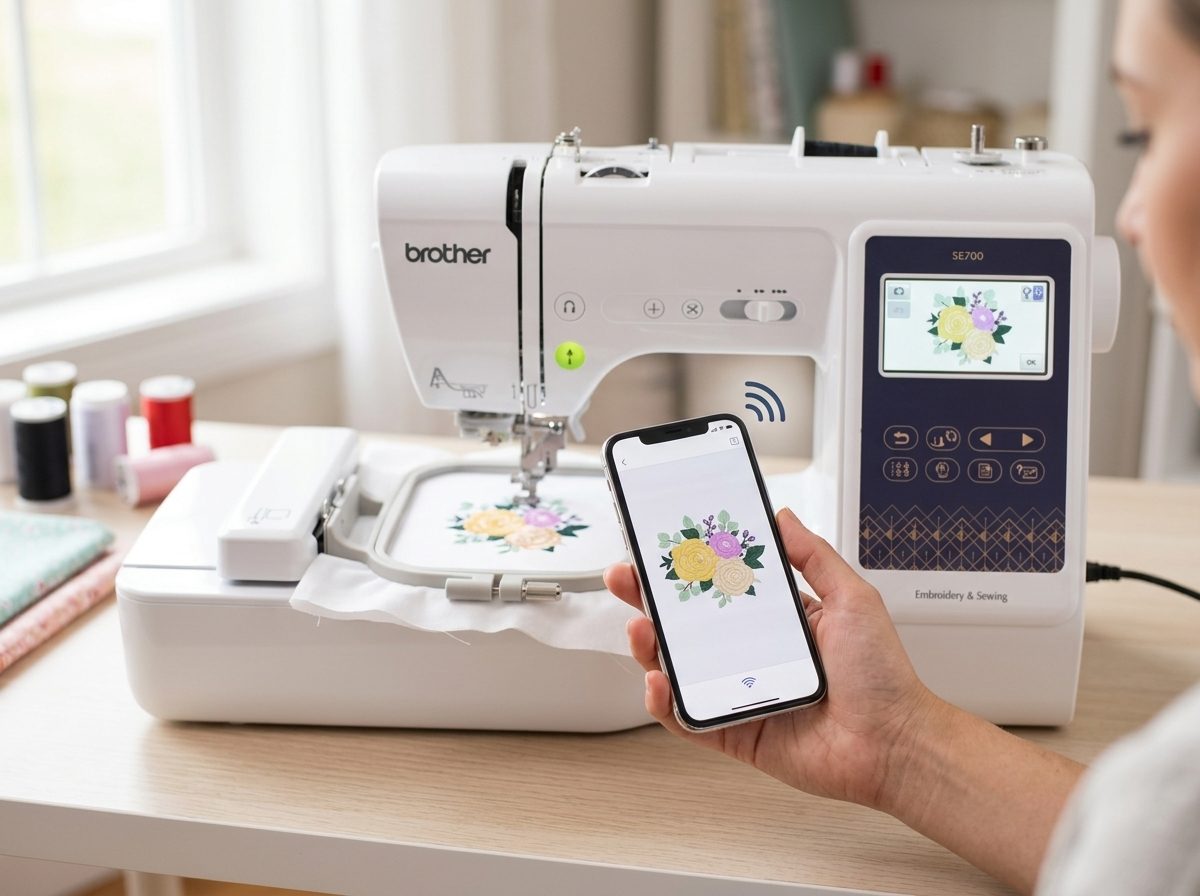
The cost appears when you want your own artwork. Here is what Brother lists for the SE700:
- Free: the Artspira app, and wireless transfer of a design to a Brother machine with WLAN, which is part of the free plan. Brother also lists Design Database Transfer as free with no USB required.
- Paid: Artspira+, which Brother says adds auto digitizing, photo and portrait conversion to embroidery, and storage for up to 100 designs. Brother US support lists the annual plan at US$119.99 a year (since January 22, 2024), with 30 days free when you subscribe. See Brother’s plan comparison and Artspira+ FAQ.
- Paid, separate: PE-Design 11, Brother’s own desktop software.
- Free, community pick: Ink/Stitch, which the community mentions for digitizing from scratch.
The SE700’s own page mentions the Artspira app, not the plan. Check Brother’s current plan comparison to confirm which features apply to your machine before you count on photo-to-stitch. Buyers got caught here: four of the critical SE700 reviews mention paying for the app, and one wrote “you need to pay MONTHLY to use the app?” (review, January 2025).
If you use a Mac or iPhone, check compatibility too. Reviews describe the SE700’s full wireless workflow as Windows and Android. One 3-star review reads “DOES NOT WORK WITH MAC” for the advanced features (review, February 2025).
What other costs should a first-time buyer expect?
The reviews point to a few things worth budgeting time or money for:
- Needles. 13 of 90 critical SE700 reviews mention broken needles, including one from a quilter who sews about eight hours a day.
- Stabilizer and thread. Keep the stabilizer and the 40 wt and 60 wt threads on hand.
- Setup. 14 of 90 critical reviews call Wi-Fi or Artspira app setup confusing.
- The first week. 26 of 90 critical reviews describe a machine that stopped, froze, arrived defective or was returned. Buy with an easy return policy and test soon after it arrives.
None of these are reasons to avoid embroidery. They are reasons to expect a learning period.
Should you buy a used embroidery machine?
We have no data to give a general answer. The community mentions used machines, such as a Janome MC300E and a Husqvarna Viking Iris, only in passing, and we found no review data to compare them safely against the Brother models. If you are considering used, ask in r/MachineEmbroidery about the specific machine and its service history.
A short checklist before you buy
- Write down the first five projects. Do they all fit in 4 x 4 inches?
- Do you need a sewing machine too, or do you already own one?
- Are you fine with built-in designs for now, and aware that photo conversion is a paid plan?
- Do you have a seller with an easy return window?
Where does the Brother SE700 fit?
If you said yes to “all five projects fit in 4 x 4,” “I want one machine that sews too,” and “built-in designs are fine for now,” the SE700 matches. We cover it on our Brother SE700 page and in the SE700 review. If you said no to the first question, look at the PE900 (embroidery only, 5x7) or the SE2000 (5x7 combo).
You can see the current price and availability of the SE700 on Amazon or at Brother.
Frequently asked questions
Is a 4x4 embroidery machine good enough for a beginner?
Yes, if your first projects are monograms, patches, baby clothes, tea towels or napkins. If you want bath towels, jacket backs or larger badges, a 5x7 hoop is the safer choice.
Is embroidery software expensive?
You can start without any, using built-in designs. Brother’s paid Artspira+ plan adds auto digitizing and photo conversion, and Brother US support lists it at US$119.99 a year.
What thread and stabilizer should I use?
The community’s baseline is stabilizer under the fabric, 40 wt embroidery thread on top and 60 wt thread in the bobbin. It will not fix every machine.
Should I buy a combo machine or an embroidery-only machine?
Buy a combo if you do not own a sewing machine and want one machine for both jobs. Choose embroidery-only if you already sew and want a bigger hoop, like the 5x7 on the PE900.
Last checked: 2026-10-27. Specifications and availability checked against the manufacturer and retailer pages on this date. Prices change often, so the retailer page always wins.